Online shopping has made it easier than ever to buy almost anything from the comfort of your home. But with that convenience comes risk. Scam websites, fake sellers, counterfeit products, and payment fraud affect millions of U.S. consumers every year. Practicing good online shopping safety is no longer optional — it's a basic necessity for anyone who shops on e-commerce sites, mobile apps, or social media stores. How to Protect Yourself When Shopping Online
This guide covers everything you need to know: how to spot red flags, which payment methods protect you best, what to do if something goes wrong, and how to report online shopping scams.
Why Online Shopping Safety Matters
E-commerce in the United States generates hundreds of billions of dollars in sales each year — and fraudsters follow the money. The Federal Trade Commission (FTC) consistently ranks online shopping among the top categories for consumer complaints, with losses running into the billions annually.
The most common threats consumers face include:
- Fake online stores designed to collect payment without delivering anything
- Counterfeit products that look genuine in listing photos but arrive as cheap imitations
- Phishing emails and ads that mimic real retailers to steal your login or payment details
- Non-delivery scams where you pay but the item never ships
- Misleading descriptions that make products appear far better than they actually are
The good news: most online shopping scams are avoidable when you know what to look for.
Common Online Shopping Risks
Before diving into how to protect yourself, it helps to understand what you're protecting against:
- Fake online stores. These are websites built purely to defraud shoppers. They often advertise heavily discounted brand-name products, collect payment, and disappear.
- Counterfeit products. Common across third-party marketplace listings, particularly for electronics, designer goods, supplements, and cosmetics.
- Non-delivery scams. You receive an order confirmation but the item never arrives — and the seller becomes unreachable.
- Phishing attempts. Fake emails or ads redirect you to cloned websites where your credentials or payment details are stolen.
- Payment fraud. Some sellers request unusual payment methods — wire transfers, cryptocurrency, or gift cards — that offer no buyer protection.
- Misleading product descriptions. Vague or intentionally deceptive listings that omit key product details, return restrictions, or hidden fees.
How to Protect Yourself When Shopping Online
1. Buy From Reputable Websites
Established retailers like Amazon, Walmart, Target, Best Buy, and their official brand stores carry far less risk than unknown websites. When shopping on marketplaces like Amazon or eBay, check whether the item is sold directly by the platform or by a third-party seller — and review that seller's ratings and history before purchasing.
For unfamiliar stores, search the brand name plus words like "reviews," "scam," or "complaints" before buying.
2. Check Website Security
Before entering any personal or payment information, confirm the website address starts with https:// — not just http://. The "S" indicates an encrypted connection. You should also see a padlock icon in your browser's address bar.
HTTPS alone does not guarantee a site is legitimate — scam websites can also use HTTPS — but the absence of it is an immediate red flag. On checkout pages specifically, look for recognized payment processor logos (Visa, PayPal, Stripe) rather than unfamiliar options.
3. Research the Seller
Before completing a purchase, spend two minutes researching the seller:
- Search for reviews on Google, Trustpilot, the BBB (Better Business Bureau), and Reddit
- Look up the business address and phone number — fake stores often list fake or no contact information
- Check the complaint history on consumer review platforms like RaiseAComplaint.com
- Review the return and refund policy — legitimate retailers publish clear, accessible policies
4. Use Secure Payment Methods
Credit cards are the safest way to pay for online purchases. Under the Fair Credit Billing Act (FCBA), you have the right to dispute charges for items that were never delivered or that don't match their description. Your card issuer can initiate a chargeback on your behalf.
Digital wallets such as PayPal (with buyer protection), Apple Pay, and Google Pay add an additional security layer.
Avoid direct bank transfers, wire payments, cryptocurrency, and gift cards for any online purchase. These payment methods offer no buyer protection and are the preferred tool of online shopping scammers.
5. Avoid Deals That Seem Too Good to Be True
A $900 laptop listed for $199. A limited-edition sneaker "in stock" on an unfamiliar website. Prices 70–80% below retail almost always signal a counterfeit product, a non-delivery scam, or a bait-and-switch. Legitimate sales exist — but extreme discounts from unknown sellers rarely end well.
6. Read Product Descriptions Carefully
Before clicking "buy," check:
- Exact product specifications (dimensions, materials, compatibility)
- Return and exchange policy — including who pays for return shipping
- Estimated delivery window and shipping costs
- Any subscription terms hidden in the fine print
If a listing is vague, poorly written, or uses stock photos that look generic, treat it as a warning sign.
7. Keep Records of Every Purchase
Disputes are much easier to resolve when you have documentation. After every online purchase, save:
- Order confirmation emails and receipt numbers
- Screenshots of the product listing, price, and seller name at time of purchase
- Shipping confirmation and tracking information
- All communication with the seller
For more on this, see our guide: What Evidence Should You Save for Online Purchase Disputes?
8. Monitor Your Accounts
Review your credit card and bank statements regularly — at least once a week — to catch unauthorized charges early. Most card issuers also offer real-time transaction alerts via text or email. Enable these for immediate notification of any charge.
If you spot an unauthorized transaction, act quickly. See our article How to Dispute Unauthorized Charges on Your Credit Card for step-by-step guidance.
Warning Signs of a Scam Website
Use this checklist before you buy from any unfamiliar online store:
- Unrealistic discounts — prices far below what any legitimate retailer charges
- No contact information — no phone number, address, or live support option
- Poor website design — broken links, typos, blurry images, or template placeholder text
- Limited payment options — only accepts wire transfers, gift cards, or cryptocurrency
- Fake or missing reviews — suspiciously generic 5-star reviews with no detail, or no reviews at all
- Pressure tactics — countdown timers, "only 2 left!" messaging, and aggressive pop-ups
- Recently registered domain — check free WHOIS tools to see when the site was created
- No clear return or refund policy — or a policy buried in hard-to-find fine print
What to Do If You Become a Victim of an Online Shopping Scam
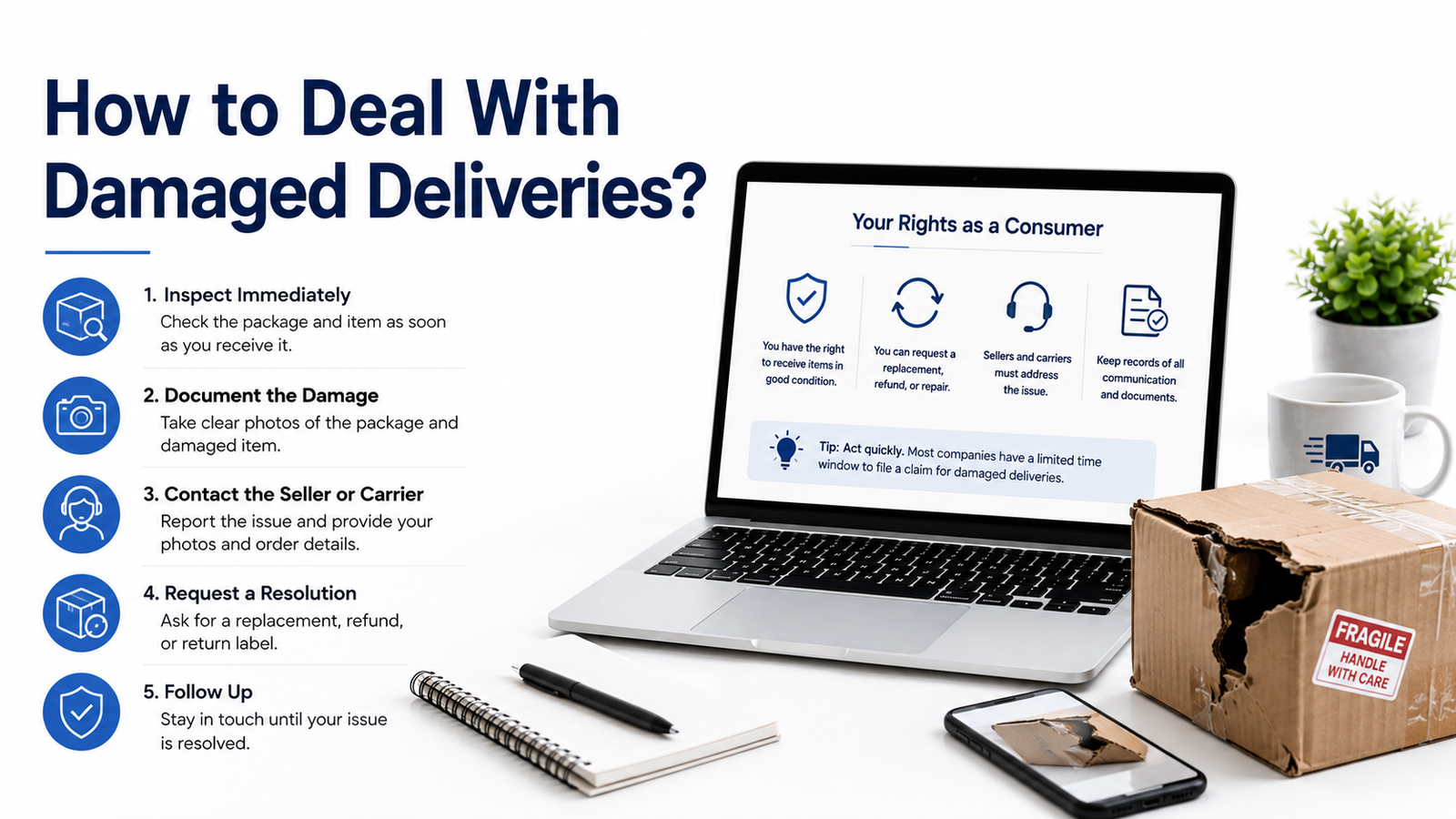
If you've been defrauded, act quickly. The faster you respond, the better your chances of recovering your money.
1. Contact the seller directly. Start with the seller's customer service — keep all communication in writing.
2. Save all evidence. Screenshots, order confirmations, emails, and chat logs are essential for disputes.
3. Contact your bank or card issuer. Report the fraudulent charge immediately. Ask about initiating a dispute or chargeback.
4. File a dispute. If the seller is unresponsive, your card issuer or PayPal can open a formal purchase protection dispute.
5. Report the scam. File reports with the FTC (reportfraud.ftc.gov), the FBI's IC3 (ic3.gov), and your state attorney general's office.
6. Monitor your accounts. Watch for additional unauthorized charges or signs of identity theft in the weeks following.
For more help, see: How to Report a Fraudulent Business Online and How to Recover Money From Failed Online Purchases.
Understanding Consumer Protection and Buyer Rights
U.S. consumers have meaningful legal protections when shopping online — but you need to know how to use them.
- Chargebacks. If a seller fails to deliver your item or sends something materially different from what was described, you can request a chargeback through your credit card issuer. The issuer investigates and, if your claim is valid, reverses the charge.
- PayPal Purchase Protection. Covers eligible purchases made through PayPal if the item doesn't arrive or significantly differs from the listing.
- Marketplace buyer protection. Amazon's A-to-z Guarantee and eBay's Money Back Guarantee cover purchases made through their platforms under qualifying conditions.
- FCBA rights. The Fair Credit Billing Act gives you the right to dispute billing errors and fraudulent charges on your credit card statement.
If a company ignores your complaint, read: What to Do When a Company Ignores Your Complaint.
How RaiseAComplaint.com Can Help
RaiseAComplaint.com is a U.S.-based consumer complaint and review platform designed to give shoppers a voice when businesses fail to deliver.
Here's how the platform helps:
- Share your shopping experience — including both positive and negative outcomes — to help other consumers make informed decisions
- Report unresolved issues with online retailers, marketplaces, and third-party sellers
- Document your dispute publicly, creating an accountable paper trail that businesses often respond to
- Raise complaints that are visible to other shoppers researching a retailer before they buy
- Browse existing complaints to check a seller's track record before placing an order
Whether you received a counterfeit product, experienced a non-delivery, or are being ignored by a seller's support team, RaiseAComplaint.com gives you a platform to speak up — and a community to back you up.
Final Thoughts
Online shopping offers incredible convenience — but it also demands a degree of caution that physical retail simply doesn't. Good online shopping safety comes down to a few consistent habits: research sellers before you buy, use payment methods that protect you, read the fine print, and keep records of every transaction.
Scammers rely on speed and distraction — a flashy deal, a sense of urgency, a website that looks almost right. Slowing down and verifying before you checkout is the single most effective thing you can do.
And if something does go wrong, you're not without options. Between chargeback rights, consumer protection laws, and platforms like RaiseAComplaint.com, consumers have real tools available to fight back. Stay vigilant, shop smart, and don't hesitate to raise your voice when a business lets you down.
Frequently Asked Questions
How can I tell if an online store is legitimate?
Check for HTTPS, a verifiable business address, and real customer reviews on independent platforms like Google, Trustpilot, or the BBB. Search the store name with "scam" or "complaints." Legitimate stores also have clear return policies, working customer service contacts, and professional-looking websites without typos or broken links.
What payment method is safest for online shopping?
Credit cards offer the strongest protection for online purchases. Under U.S. law, you have the right to dispute fraudulent charges and undelivered items through a chargeback. Digital wallets like PayPal (with buyer protection enabled) also offer solid coverage. Avoid wire transfers, gift cards, or cryptocurrency — these offer no recourse if something goes wrong.
Should I trust online reviews?
Reviews can be helpful but require some judgment. Look for reviews across multiple platforms rather than just the seller's own website. Be skeptical of stores with only 5-star reviews, especially if they're vague or posted in a short timeframe. Detailed reviews that mention specific products and experiences tend to be more reliable.
What should I do if my order never arrives?
Start by checking your order confirmation and tracking information. If the tracking shows no movement or the delivery window has passed, contact the seller directly — in writing. If the seller doesn't respond or refuses to help, contact your bank or card issuer to initiate a dispute or chargeback. See our guide: How to Recover Money From Failed Online Purchases.
Can I dispute an online purchase?
Yes. If you paid by credit card, you can dispute a charge under the Fair Credit Billing Act if the item was not delivered, arrived significantly different from the listing, or if you did not authorize the charge. Contact your card issuer directly. PayPal and some marketplace platforms also have their own buyer dispute resolution processes.
How do chargebacks work?
A chargeback is a payment reversal initiated by your bank or card issuer. You file a dispute, provide evidence (order confirmation, seller communications, proof of non-delivery), and the issuer investigates. If your claim is valid, the charge is reversed and the funds are returned to your account. Time limits apply — typically 60–120 days from the transaction date.
What are common signs of an online shopping scam?
Key red flags include: prices far below retail, no verifiable contact information, pressure tactics like countdown timers, poor website quality, requests to pay by wire transfer or gift card, and reviews that seem fake or are suspiciously one-sided. When multiple warning signs appear together, avoid the purchase.
What should I do if an online retailer ignores my complaint?
Document everything first — save all emails, chat logs, and screenshots. Then escalate: file a chargeback with your card issuer, report the business to the FTC at reportfraud.ftc.gov, and file a public complaint on RaiseAComplaint.com. Public complaints often prompt businesses to respond when direct contact has failed.