RaiseAComplaint.com is known as an online complaint platform designed to give consumers a voice. Whether you have experienced a billing dispute, a failed delivery, unresponsive customer service, or a subscription you can't cancel, this platform lets you document your experience and share it publicly. But many users have the same question after clicking the Submit button: what actually happens next?
Understanding the RaiseAComplaint complaint process helps you stay informed, take the right steps, and get the most out of the platform. This guide walks you through every stage, from the moment you submit your complaint to what happens when a business responds — or doesn't.
Understanding the RaiseAComplaint Complaint Process
The complaint process on RaiseAComplaint.com is built around transparency and consumer empowerment. Rather than routing your complaint through a private mediation system, the platform makes your experience publicly documented and searchable. This means other consumers can read your account, businesses can see how their service is being perceived, and a clear record exists whether or not the issue gets resolved.
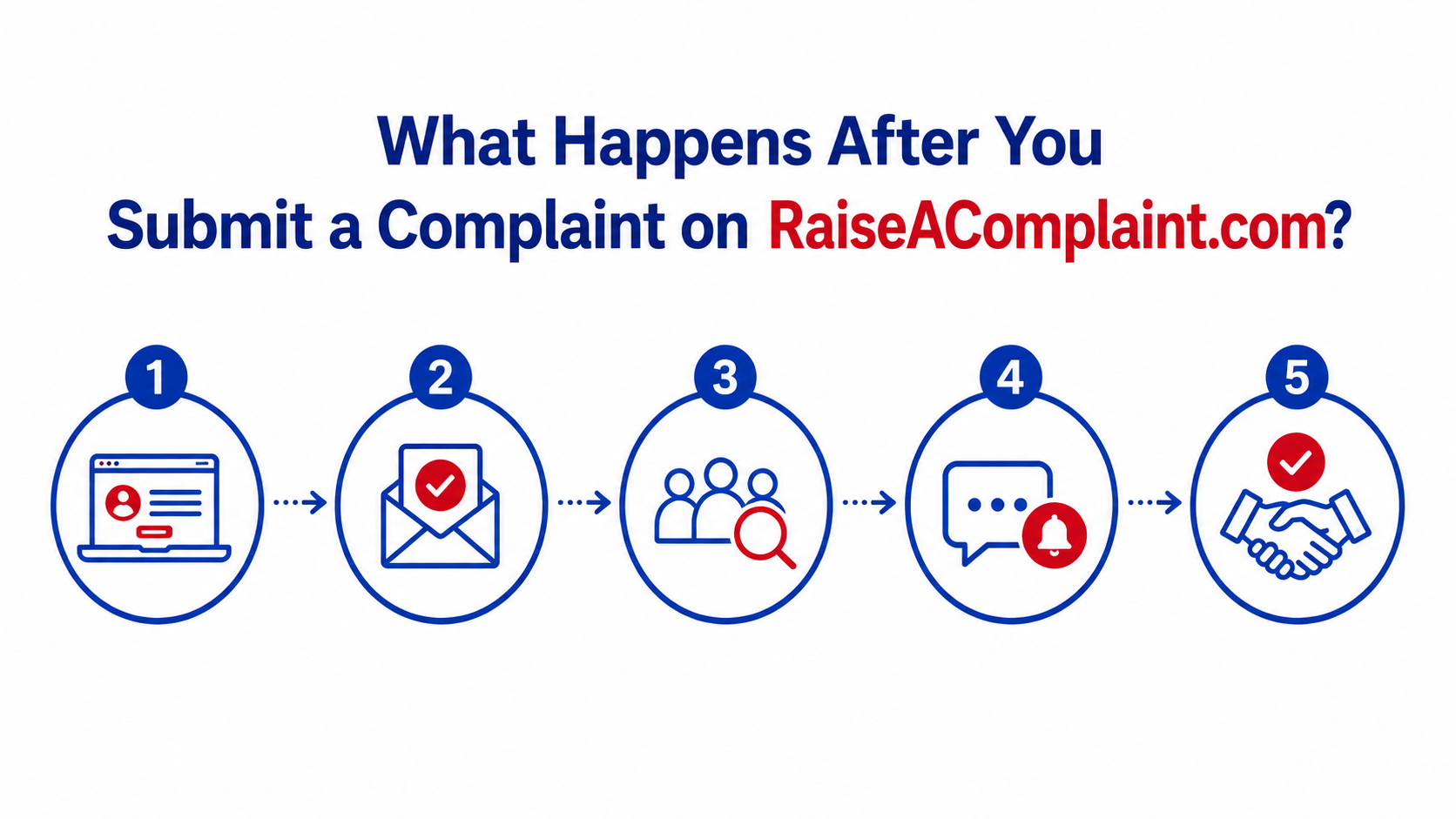
From submission to publication to potential business response, there are several steps in the consumer complaint process. Knowing what each step involves helps you engage with the platform confidently and make your complaint as effective as possible.
Step 1: Completing and Submitting Your Complaint
The process begins with filling out the complaint form. You'll be asked to provide key details including the name of the business, a description of what happened, the date of the incident, and any relevant order or account numbers.
Accuracy matters here. The more complete and specific your complaint, the stronger your documentation. Consider including:
- A clear, factual description of the issue without speculation or personal attacks
- Specific dates, amounts, and transaction details where relevant
- Supporting evidence such as receipts, screenshots, emails, or chat transcripts
- A description of any steps you already took to resolve the issue with the company
Before you hit Submit, review everything carefully. Once your complaint is published, others will see it, so clarity and accuracy make a real difference. For guidance on writing an effective complaint, see our article on How to File an Effective Consumer Complaint That Gets Results.
Step 2: Complaint Review and Content Standards
After submission, your complaint goes through a basic review process. This step is not an in-depth investigation into the facts of your case. Instead, it checks that your submission meets the platform's content guidelines.
During review, the platform checks that your complaint:
- Does not contain hate speech, threats, or discriminatory language
- Relates to a genuine consumer experience rather than spam
- Does not include private personal information about individuals that could cause harm
- Meets the general standards for public complaint submissions
The review process typically moves quickly, but timelines can vary. You do not need to take any action during this stage. Once your complaint passes the content check, it moves to publication.
It is worth noting that RaiseAComplaint.com is not able to verify every factual claim in your complaint. The platform provides space for consumer experiences to be shared, not a legal or arbitration service.
Step 3: Your Complaint Becomes Publicly Accessible
Once reviewed and approved, your complaint is published on the platform and becomes part of the public record. This is one of the most important aspects of how RaiseAComplaint works: transparency by default.
A published complaint means:
- Other consumers searching for information about the company can find your experience
- Your complaint may appear in search engine results related to the business name
- The documentation exists in a structured, accessible format regardless of whether the business responds
- Your consumer dispute becomes part of a broader pattern of feedback that others can use when making purchasing decisions
This public documentation is one of the most powerful aspects of the platform. When multiple consumers share similar experiences, it creates a visible pattern that holds businesses accountable in a way private complaints simply cannot.
Step 4: Businesses Can View and Respond to Your Complaint
Once your complaint is published, the business you named is able to see it. Companies that monitor their online reputation, including on consumer complaint platforms, may notice your submission and choose to respond.
Business responses on RaiseAComplaint.com are public, which means other consumers can see how the company handles feedback. A constructive, transparent response from a business can reflect positively on them. Ignoring complaints, on the other hand, is also visible to anyone who looks.
If a business does respond, the conversation between you and the company becomes part of the complaint record. This allows for:
- Direct communication about the issue
- A chance to document whether the business offered a resolution
- Public accountability for how companies treat their customers
For more context on why businesses benefit from engaging, see Why Businesses Should Respond to Consumer Complaints.
Step 5: Track Your Complaint Status
You don't have to wait passively after submitting. One of the practical benefits of creating a RaiseAComplaint account is the ability to monitor your complaint status over time.
After logging into your account, you can:
- View the current status of your submitted complaint
- Check whether the business has responded
- Review any updates that have been added to your complaint thread
- Stay informed about activity on your submission
Complaint tracking gives you a clear picture of where things stand without having to guess. Regular check-ins are a good habit, especially in the early days after publication when responses are most likely to come in. If you haven't created an account yet, see How to Sign Up on RaiseAComplaint and Create Your Account.
Step 6: Update Your Complaint if Needed
Your complaint does not have to be a static document. One of the most useful features of the platform is the ability to update your complaint after submission.
You might want to update your complaint if:
- New information has come to light since you first submitted
- You have received additional correspondence from the business
- You now have more evidence, such as further screenshots or emails
- The issue has been resolved and you want to document the outcome
- You need to clarify something in your original submission
Keeping your complaint up to date makes it more useful for other consumers and gives a complete picture of how the situation developed. An updated complaint showing a resolution can also reflect well on both you and the business.
What Happens If a Business Responds?
When a business responds to your complaint, you will typically receive a notification through your account. This is an important moment in the consumer complaint process because it opens the door to direct communication and potential resolution.
Here is what to do when a business responds:
- Read the response carefully and assess whether the business is offering a genuine resolution or a form reply.
- Respond to their message factually and professionally, sticking to the specifics of your case.
- If the business has resolved your issue, update your complaint to reflect that outcome.
- If you are not satisfied with their response, continue engaging or document why the offered resolution was inadequate.
Keeping communication factual and documented creates a record that supports your case and demonstrates good faith on your part. For additional advice, see How to Write a Complaint That Gets a Response.
What If a Business Does Not Respond?
Not every business will respond to your complaint. This is a reality of any online complaint platform, and it is not unusual. However, a lack of response does not mean your complaint is ineffective.
Even without a business response, your complaint:
- Remains publicly visible on the platform
- Continues to appear in relevant search results
- Contributes to the broader public record about that company's service
- May be seen by other consumers who are researching the business before making a purchase
If you want to take additional steps beyond the platform, consider escalating your complaint to relevant consumer protection agencies, your state attorney general's office, the Better Business Bureau, or the Consumer Financial Protection Bureau depending on the nature of your dispute. For more options, see What to Do When a Company Ignores Your Complaint.
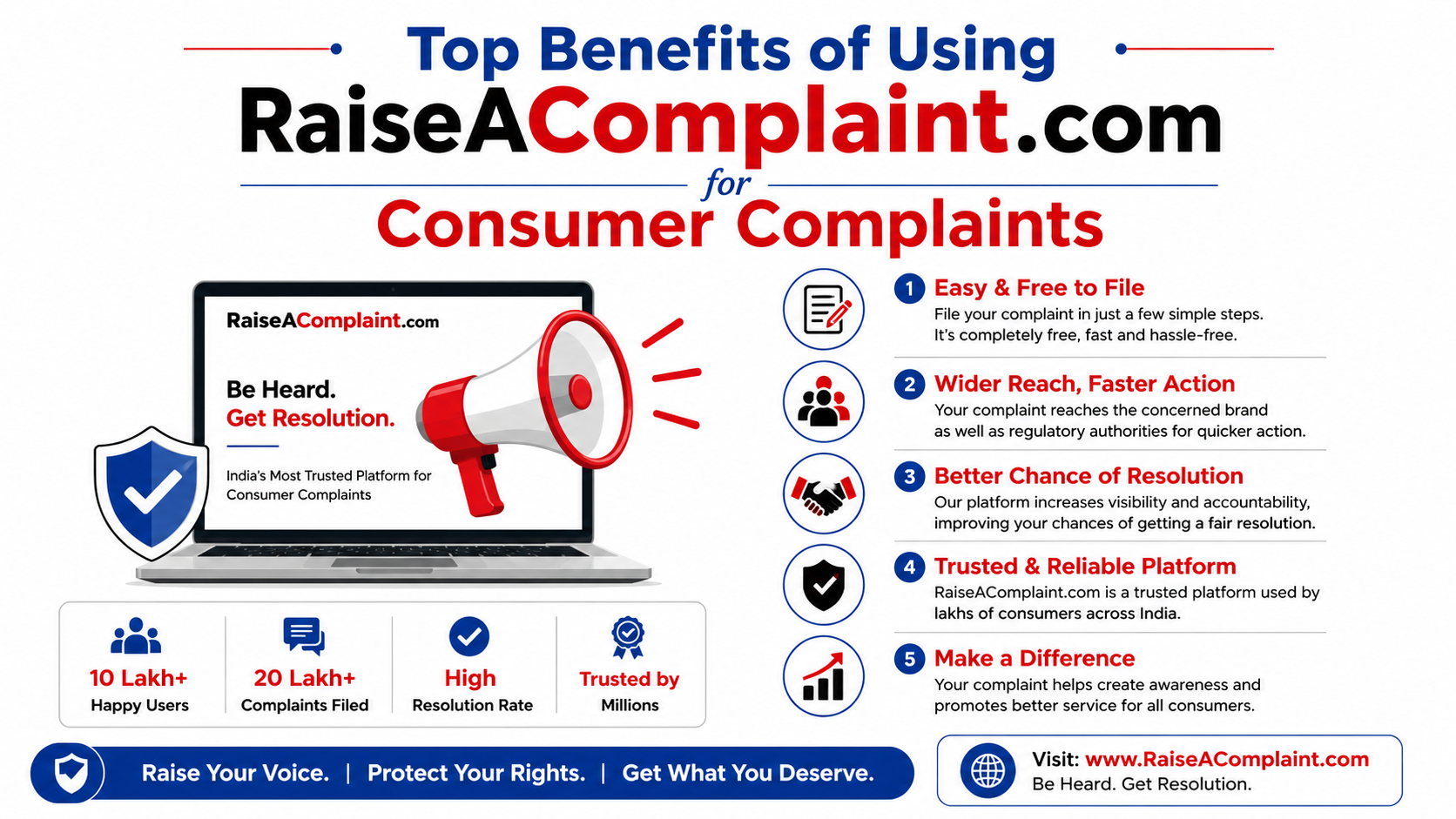
Benefits of Using RaiseAComplaint.com
The platform offers several practical advantages over simply sending a complaint email directly to a company.
- Transparency: Your complaint is publicly visible, which creates genuine accountability rather than relying on a private resolution that no one else can see.
- Consumer awareness: Other people researching the company benefit from your experience before they make a decision.
- Complaint tracking: A dedicated account lets you monitor your complaint status rather than waiting without information.
- Organized documentation: Your complaint, any updates, and any business responses are all stored in one place in a structured format.
- Public accountability: Businesses that ignore or dismiss complaints face a visible public record of doing so.
How RaiseAComplaint.com Supports Consumers
RaiseAComplaint.com exists to give everyday consumers a structured, credible place to share their experiences and raise concerns. The platform is designed to be straightforward to use, transparent in its approach, and genuinely useful whether or not a business responds.
Through the complaint process, the platform helps you:
- Share your experience in a public, searchable format
- Keep track of your complaint and any developments through your account
- Engage with businesses that choose to respond
- Contribute to the broader consumer record about a company's practices
- Document your situation in an organized way that supports any further steps you may take
The Bottom Line
Submitting a complaint on RaiseAComplaint.com is just the beginning. Understanding the full RaiseAComplaint complaint process helps you stay engaged, keep your documentation strong, and make the most of what the platform offers.
From the moment your complaint is reviewed and published, to tracking responses from the business, to updating your record as events develop, every step in the process serves the same goal: giving consumers a transparent, organized way to share their experiences and promote accountability. How to Sign Up on RaiseAComplaint and Create Your Account
Whether or not a business responds, your complaint contributes to the public record. That record matters, both for you and for other consumers who may be researching the same company. Take the time to write a complete complaint, check back regularly, and keep your submission updated as your situation evolves.
For next steps, explore How to File an Effective Consumer Complaint That Gets Results, or learn more about What to Do When a Company Ignores Your Complaint.
Frequently Asked Questions
How do I know my complaint was submitted successfully?
After submitting your complaint, you should receive a confirmation on screen and, if you have an account, a notification in your account dashboard. The complaint will enter the review process. You can log into your RaiseAComplaint account to check its current status. If you do not see any confirmation, check that all required fields were completed and try submitting again.
Can I edit my complaint after submission?
Yes, you can update your complaint after it has been published. This is useful when new information becomes available, when you receive additional evidence, or when you want to document how the situation progressed. Log into your account to access your submitted complaints and make changes where permitted.
Will businesses see my complaint?
Once your complaint is published on RaiseAComplaint.com, it is publicly accessible. Businesses that monitor their reputation online can find and read it. There is no guarantee every business will see or act on your complaint, but the public nature of the platform means the record exists regardless of whether they engage.
How do I track complaint updates?
Log into your RaiseAComplaint account and navigate to your submitted complaints. From there you can review your complaint status, check for any business responses, and see any updates that have been added. Keeping your account information current ensures you receive notifications when relevant activity occurs on your submission.
What happens if a company responds to my complaint?
You will be notified when a business responds to your complaint. Their response will appear publicly alongside your original submission. You can then reply, update your complaint with new information, or document whether the response addressed your concern. If the issue is resolved, updating your complaint to reflect that is a good practice for keeping the public record accurate.
Can I upload additional evidence later?
Yes. If you have new supporting documents, screenshots, receipts, or emails that were not included in your original submission, you can add them by updating your complaint through your account. Adding strong evidence after the fact can strengthen your complaint and provide useful context if a business responds.
What if a business never replies?
If a business does not respond, your complaint remains publicly visible on the platform. It can still be found by other consumers, may appear in search results related to the company, and contributes to the public record. You may also consider escalating through other channels such as your state attorney general's consumer protection office or a relevant federal agency depending on the type of dispute.
Is creating an account required to submit a complaint?
Creating a RaiseAComplaint account allows you to track your complaint status, receive notifications about responses, and update your submission over time. Without an account, your ability to manage your complaint after submission may be limited. An account is the best way to stay informed and engaged with your complaint throughout the process.
How long does the review process take?
The basic review process typically moves quickly, though exact timelines can vary depending on submission volume. You do not need to take any action while your complaint is being reviewed. Once it passes the content check, it will be published and become publicly accessible. You can monitor your account for a status update.
Is RaiseAComplaint.com free to use?
RaiseAComplaint.com provides a free platform for consumers to submit and track complaints. Creating an account and submitting a complaint does not require a payment. The platform's value comes from the transparency and documentation it provides rather than from paid mediation or legal services.